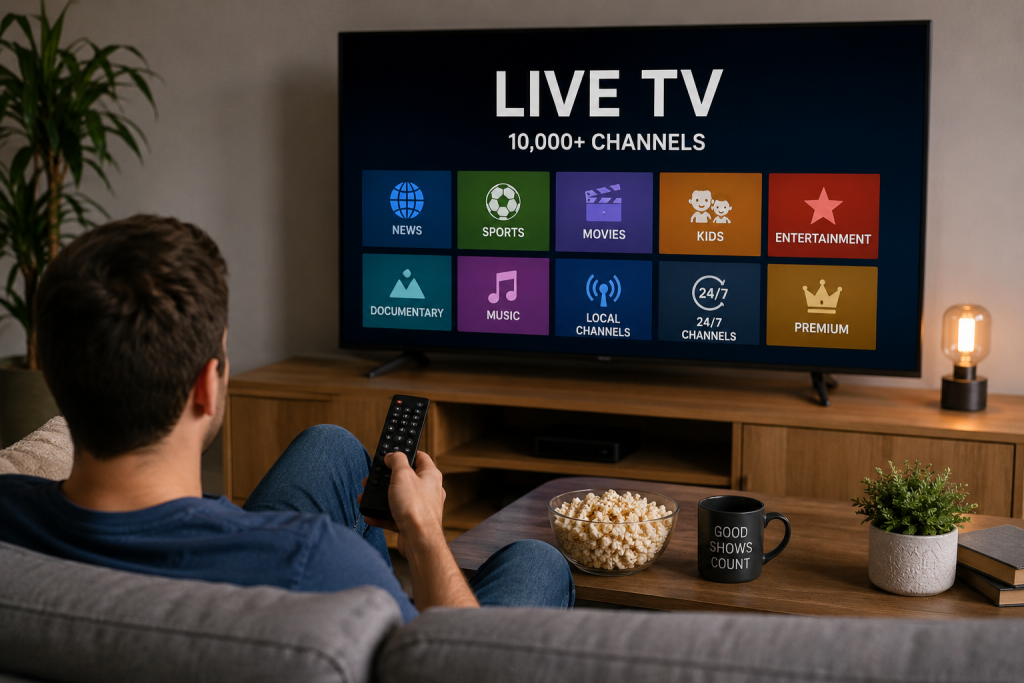
Most IPTV providers advertise “local channels included,” but what actually loads on your screen is often a single generic network feed labeled ABC, NBC, CBS, or FOX — not the specific station licensed to your city. That’s why the news, the weather, and even some sports broadcasts don’t match what you’d see on cable.
Cable companies never have to explain this to you. Plug in the box, and your local ABC affiliate shows up because the cable provider physically routes signal through your zip code. IPTV doesn’t work that way, and almost nobody selling you a subscription will say that out loud. At BestUSAIPTV, we get asked some version of “why isn’t my local NBC channel showing up” more than almost any other support question, and the honest answer is more complicated than most provider FAQ pages let on.
This isn’t a scare piece. Local channels do work on IPTV, for the overwhelming majority of US subscribers. But “they work” and “they work reliably, for your specific city” are two different promises, and the gap between them is exactly where people get burned.
Local TV Doesn’t Travel the Way You Think It Does
Your IPTV provider almost certainly isn’t streaming your actual hometown ABC, NBC, CBS, or FOX station — it’s streaming one generic version of that network and hoping you don’t notice the difference until local news comes on.
Every local network affiliate in the US sits inside something called a Designated Market Area, or DMA. There are 210 of them. Your ABC isn’t the same broadcast feed as the ABC affiliate two states over — it’s a separately licensed, separately operated station with its own call sign, its own news team, and its own contractual rights to carry network programming in that specific market only.
Cable and satellite handle this invisibly because they’re physically wired or beamed to your exact location. An IPTV provider has no physical infrastructure tying you to a market. It’s pulling a stream from a server and pushing it to your app. So when a provider lists “ABC, NBC, CBS, FOX” on their channel sheet, what you’re often getting is one feed — usually out of New York, Los Angeles, or Chicago — relabeled generically as “ABC” or “NBC.” Watch the local news segment, or wait for a severe weather cut-in, and you’ll instantly know whether that’s your market or someone else’s three time zones away.
We’ve tested this ourselves with a half dozen smaller US providers. Type “ABC” into the channel guide and you’ll often see one single ABC entry, sometimes two. Compare that to actual broadcast reality, where ABC alone has over 230 affiliate stations across the country, each carrying different local programming outside of primetime network content. One generic feed cannot represent 230 different stations. Something is always missing.
Network Affiliate Mismatch
This is the most common version of the problem. You subscribe expecting your hometown station — say, WLS-TV in Chicago — and instead get a generic ABC feed branded for a totally different market. Primetime shows look fine because the network content is identical nationwide. The moment local news, local weather, or a regional sports cut-in airs, the illusion breaks.
Blackout and Carriage Restrictions
Sports broadcasting rights complicate this even further. NFL Sunday afternoon games are licensed regionally, meaning your local CBS or FOX affiliate is contractually allowed to air a different game than the affiliate three states away, based on what teams are playing in your market. An IPTV provider streaming one national CBS feed cannot replicate that regional split. We’ve heard from subscribers who assumed they’d get their hometown team’s game through their “local CBS” channel, only to discover during Week 3 that they were watching a completely different matchup, because the feed they were handed wasn’t actually local at all.
Provider Server Location vs Your Physical Address
A smaller, less obvious issue: some providers route content through servers tied to a specific region, and what shows up as “local” depends on where their infrastructure sits, not where you live. Move from Texas to Oregon and keep the same subscription, and your “local channels” might not move with you. Cable would never let this happen, because the box itself is tied to an address. IPTV has no equivalent enforcement, for better and worse.
The Channels Sheet on a Provider’s Site Won’t Tell You Any of This
Every provider markets a number. 18,000 channels. 25,000 channels. 30,000-plus. None of those numbers tell you whether your specific ABC, NBC, CBS, or FOX affiliate is in there correctly labeled and properly sourced. We’d argue the channel count is close to meaningless for this exact question. A provider could claim “Local Channels: All 50 States” on their marketing page and still be running one generic East Coast feed under that label.
If you’re shopping for a provider and local channel accuracy actually matters to you — and for most US households it should, since local news and regional sports are two of the most-watched categories on any IPTV channel lineup — the provider’s website is the wrong place to look for confirmation. You need to check it yourself, before you pay for a full year.
How to Verify Your Local Channel Before You Subscribe
You can confirm whether a provider’s local channels are real or generic in under fifteen minutes, before you ever pay for a year-long plan. Four checks, in this order, catch almost every mismatch.
Step 1: Find Your Market’s Actual Call Sign
Search “[your city] ABC affiliate call sign” or check the FCC’s public station database. Chicago’s ABC affiliate is WLS-TV. Atlanta’s is WSB-TV. Dallas-Fort Worth runs WFAA. Write down the call sign for each major network in your market — this is your reference point for everything that follows.
Step 2: Use the Free Trial, and Actually Watch Local Programming
Almost every legitimate provider offers some kind of trial period. Don’t just open the app and confirm the channel exists. Watch it during a local news block, typically 5–6 PM or 10–11 PM in most US markets. If the anchors, weather graphics, and station branding don’t match your actual local station, the feed isn’t local — it’s a relabeled national stream wearing your network’s logo.
Step 3: Test During a Live Regional Sports Window
If sports matter to you, this step carries more weight than anything else on this list. Tune in during an NFL Sunday afternoon slate and check whether the game airing matches what’s actually scheduled for your region according to the league’s broadcast map. A mismatch here is the clearest possible sign that the “local” channel you’re paying for is generic.
Step 4: Ask Support Directly, in Writing
Message the provider’s support team and ask plainly: “Is your ABC/NBC/CBS/FOX feed sourced specifically from my market, or is it a single national feed labeled by network?” Good providers will give you a straight answer. Vague, deflecting answers are themselves useful information.
What to Do If a Local Channel Breaks After You’re Already Subscribed
Restart the app first, check for a status update second, and isolate the device third — most “local channel disappeared” cases resolve at one of those three steps without ever needing to contact support.
This happens more often during major retransmission disputes, when a network and a distributor fail to agree on new carriage terms and a feed temporarily goes dark or gets swapped. It also happens after backend changes on the provider’s side, sometimes with zero notice.
A few things worth trying before assuming the worst: restart the app fully rather than just refreshing the channel, check whether the provider has posted a status update (many run a Telegram or Discord channel for exactly this), and confirm the issue isn’t isolated to your device. If a Firestick install shows the problem but a Smart TV app doesn’t, the issue is local to your setup, not the provider’s feed.
A Realistic Example: Three Cities, Three Different Outcomes
We pulled feedback from subscribers across three different US markets to see how this actually plays out in practice.
In Atlanta, a subscriber confirmed their CBS feed matched WGCL-TV exactly, including local news branding — a correctly mapped local channel, no complaints.
In Phoenix, a different subscriber reported their “local FOX” was clearly a Los Angeles feed, identifiable by an LA-specific traffic segment that aired mid-broadcast. Same network, wrong market, no warning given at signup.
In Tampa, a subscriber found their NBC affiliate worked fine for primetime programming but dropped to a generic national feed specifically during severe weather coverage — exactly the moment local accuracy matters most.
Three subscribers, three completely different experiences, all under the umbrella term “local channels included.” That inconsistency is the whole point of this article.
Where This Leaves You
Local channel accuracy isn’t something IPTV providers can guarantee the same way cable does, structurally. That’s not a reason to avoid IPTV — it’s a reason to verify before you commit to a year-long plan instead of trusting a marketing page. Check your call sign, run the trial during local news and live sports, and ask support a direct question before you pay. It takes fifteen minutes and saves you from finding out the hard way during the first big game of the season.
If you’re running into channel issues after install rather than before — buffering, missing feeds, or apps that won’t load the guide correctly — our IPTV setup guide covers device-specific fixes for Firestick, Android, and Smart TV that solve a large share of these problems without needing to contact support at all.
Common Questions About Local Channels on IPTV
Why is my local channel on IPTV showing the wrong city’s news?
Most IPTV providers stream one generic feed per network rather than separate feeds for each of the 210 US broadcast markets. If your provider’s ABC or NBC channel isn’t sourced from your specific market, you’ll see another city’s local news, weather, and station branding instead of your own.
Can I get my exact local NBC, CBS, ABC, or FOX affiliate through IPTV?
Some providers do offer market-accurate local feeds, but it varies by service and isn’t guaranteed across the board. The only reliable way to confirm is testing the channel during a local news block before subscribing long-term.
Why does my IPTV local channel work fine except during football games?
NFL games are broadcast regionally, meaning different markets air different matchups on the same network at the same time. A generic, non-market-specific IPTV feed can only show one game, which may not match what’s actually scheduled for your local market.
How do I check if an IPTV provider’s local channels are accurate before I pay?
Use the provider’s free trial and watch a local news segment or live regional sports broadcast. Compare the station branding and content to your actual local affiliate’s call sign, which you can find through the FCC’s public station database.
What should I do if my local channel suddenly stops working?
Restart the app first, since many issues are app-side rather than provider-side. If the channel is missing across all your devices, check the provider’s status updates — carriage disputes between networks and distributors can cause temporary local channel outages.